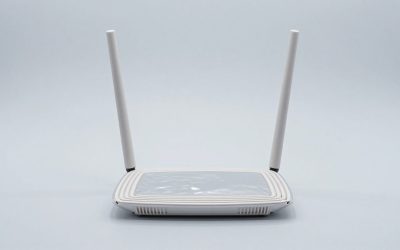
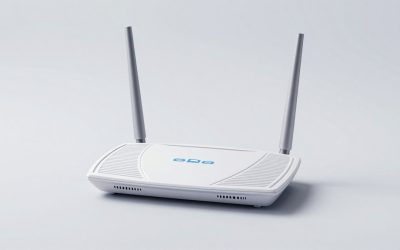
When curating lighting for a modern living space, most homeowners focus on color temperature, dimmability, and fixture aesthetics. However, the true day-to-day performance of your ambient lighting relies on an invisible architectural choice: the wireless protocol connecting your bulbs to your home control system. When evaluating zigbee smart bulbs vs wifi smart bulbs home setups, you are deciding between two fundamentally different network frameworks—one that relies on a localized, self-healing mesh network, and another that connects each light fixture directly to your Wi-Fi router.
In 2026, as smart home devices proliferate across kitchens, bedrooms, and outdoor patios, selecting the wrong protocol can turn a sophisticated lighting scheme into an exercise in frustration—complete with latency delays, dropped connections, and clogged wireless bandwidth. Whether you are illuminating a compact apartment with accent sconces or outfitting a multi-story home with automated daylight schedules, understanding how these two smart bulb ecosystems handle data, power, and connectivity will ensure your home stays both beautifully lit and effortlessly responsive.
Our top picks


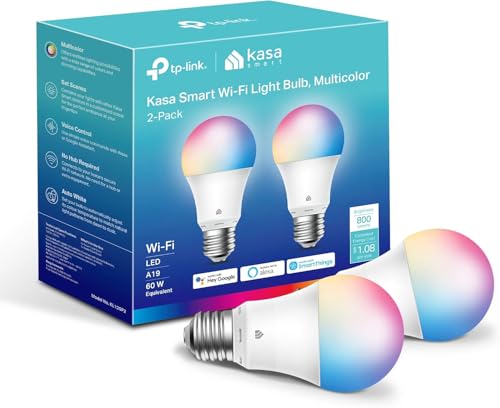 Kasa Smart Light Bulbs
- Multicolor & Auto White: Dimmable 16 million colors…
- Voice Control: Get hands-free control of your lights…
- Remote Control: Control your smart light bulb from…

As an Amazon Associate we earn from qualifying purchases at no extra cost to you.
Quick Verdict
For small spaces, rentals, or entry-level setups requiring fewer than 12 light points, Wi-Fi smart bulbs are the most practical choice. They require no extra hardware bridge, connect directly to your standard 2.4 GHz wireless router, and offer quick out-of-the-box voice and mobile app control. However, for whole-home installations involving 15 to 50+ bulbs, Zigbee smart bulbs are vastly superior. By utilizing a dedicated central hub to build a self-healing local mesh network, Zigbee bulbs prevent router strain, respond almost instantly (under 100 milliseconds), and maintain your lighting automations even if your main internet service drops out.
Side by Side
| Feature | Zigbee Smart Bulbs | Wi-Fi Smart Bulbs Home |
|---|---|---|
| Protocol & Network | IEEE 802.15.4 localized mesh network | IEEE 802.11 b/g/n direct router connection |
| Hardware Required | Zigbee Hub / Bridge / Coordinator required | No hub required (connects to 2.4GHz router) |
| Network Capacity | 100+ bulbs per hub without network lag | 15–30 total devices before router congestion occurs |
| Response Time / Latency | Ultra-fast (<100ms local execution) | Moderate (200ms–1500ms, often cloud-dependent) |
| Offline Operation | Full local control via hub if internet goes down | Limited or no control when internet fails |
| Initial Price Range | $3.50 to $12.00 per bulb (plus $30–$80 hub) | $7.00 to $15.00 per bulb (zero initial gear cost) |
| Maintenance & Care | Low; stable mesh strengthens with every added bulb | Moderate; prone to IP reassignment and router reboots |
| Space & Equipment Needed | Requires shelf space near router for a hub/bridge | Zero extra equipment clutter near your media console |
| Aesthetic & Form Factors | Standard A19, BR30, GU10, candelabra, Edison filament | Standard A19, BR30, light strips, vintage filament |
| Best For | Whole-home automation, large properties, power users | Apartments, single rooms, budget-conscious starters |
Where Zigbee Smart Bulbs Wins
Zigbee protocol was engineered specifically for low-power, high-density sensor and control networks, making it ideally suited for home lighting installations. Its primary architectural advantage is its self-healing mesh topology. In a Zigbee network, every mains-powered light bulb acts as a signal repeater (router node). When you install a 4-pack of standard A19 bulbs—such as the THIRDREALITY Zigbee Smart Color Bulb ZL1 4Pack ($29.99) or the economical soft-white Sengled Smart Light Bulbs 4-pack ($14.10)—each bulb passes signal commands down the line. This allows lighting control to reach deep into basements, outdoor covered porches, or detached garages without requiring Wi-Fi extenders.
Another major advantage is network isolation. Because Zigbee operates on a dedicated protocol independent of your home’s main Wi-Fi network, adding 30 or 40 bulbs will not steal bandwidth from your 4K TV streaming, video conference calls, or gaming consoles. Typical A19 Zigbee bulbs draw around 8.5 to 9 watts at maximum brightness (800 lumens, equivalent to a traditional 60-watt incandescent) while consuming less than 0.5 watts in standby mode, communicating silently with hubs like SmartThings, Homey, Hubitat, or Echo devices with built-in hubs.
Furthermore, Zigbee excels at local processing. When you trigger a wall switch or motion sensor connected to a local Zigbee hub, the light command bypasses external internet servers entirely. This local round-trip yields near-instantaneous response times, eliminating the annoying multi-second delay often experienced when triggering Wi-Fi bulbs during peak network hours.
Where Wifi Smart Bulbs Home Wins
The defining strength of Wi-Fi smart bulbs is their plug-and-play simplicity. Because almost every modern residence already features a 2.4 GHz wireless router, setting up a Wi-Fi bulb requires zero specialized hardware. You simply screw the bulb into an existing table lamp or pendant socket, open the brand’s smartphone app, enter your Wi-Fi credentials, and gain immediate dimming and color control. For budget-conscious homeowners or non-technical users, avoiding an upfront $30 to $80 investment in a dedicated hub makes Wi-Fi an attractive entry point.
Direct connectivity also simplifies remote access. Options like the Kasa Smart Light Bulbs 2-pack (KL125P2) ($14.99) allow users to adjust 800-lumen multicolor lighting from anywhere in the world using native cloud integrations with Google Home or Amazon Alexa. Modern cross-platform protocol standards have elevated Wi-Fi performance even further; for instance, multi-ecosystem products like Linkind Matter Smart Light Bulbs ($29.97) allow direct local pairing to Apple Home, Siri, Alexa, and Google Assistant without needing a brand-specific cloud account.
Wi-Fi bulbs are also exceptionally easy to reconfigure during room redesigns. If you move a floor lamp from a home office to a sunroom, a Wi-Fi bulb automatically re-establishes its network connection as long as it stays within range of your router, requiring no re-pairing or mesh re-indexing.
Cost Over 5 Years
Evaluating smart lighting costs requires looking past the sticker price on a single bulb package. Let us examine a realistic 5-year financial breakdown for outfitting a 3-bedroom, 2-bath home with 20 smart bulbs (mix of ambient color and dimmable soft white fixtures), operating an average of 3 hours per day per bulb.
Zigbee 20-Bulb System Setup:
- Initial Hardware: 4 x Zigbee Color 4-packs (~$120 total) + 1 x Dedicated Zigbee Hub/Coordinator (~$40 to $60) = $160 to $180.
- Energy Consumption: 20 bulbs x 9W average draw x 3 hours/day = ~197 kWh annually. At $0.16/kWh, energy cost is roughly $31.50/year, totaling $157.50 over 5 years.
- Network Infrastructure Cost: $0. (Does not require upgrading your standard ISP router).
- Total 5-Year Cost: $317.50 to $337.50
Wi-Fi 20-Bulb System Setup:
- Initial Hardware: 10 x Wi-Fi 2-packs (~$150 to $200 total) + 0 Hubs = $150 to $200.
- Energy Consumption: Wi-Fi microcontrollers draw slightly more background power in standby (~0.7W to 1.0W continuously) to maintain active router leases. 20 bulbs x 9.5W active/standby weighted draw = ~220 kWh annually. Total energy cost is roughly $35.20/year, or $176.00 over 5 years.
- Network Infrastructure Cost: Standard ISP routers often struggle when 20 continuous IP leases are added alongside personal devices, frequently causing dropped connections. Resolving this typically requires purchasing a tri-band Wi-Fi router or mesh Wi-Fi system around Year 2 or 3 (~$150 to $200).
- Total 5-Year Cost: $476.00 to $576.00
While Wi-Fi light bulbs boast lower initial setup fees, Zigbee proves more cost-effective over a 5-year lifecycle in multi-room homes due to hardware stability, lower standby power draw, and zero router upgrade pressures.
Which One for Your Home
Small Apartment or Starter Home
If you live in a 1-bedroom apartment or condo requiring only 4 to 8 smart bulbs total (e.g., bedside lamps, living room accent lighting), Wi-Fi smart bulbs are the ideal solution. You avoid paying for an unnecessary smart hub, and your router can easily accommodate 6 extra Wi-Fi devices alongside your phone and laptop without causing network congestion.
Busy Family Home with Kids or Pets
For high-traffic households running automated morning routines, automated motion sensors in hallways, and 20+ light points, Zigbee smart bulbs are vastly better. If a family member accidentally flips a physical light switch off, a Zigbee mesh network simply reroutes communication around that missing node. Moreover, instant localized response ensures motion sensors turn on nightlights immediately, keeping kids safe without waiting on cloud server delays.
Rental Property
Renters seeking non-permanent interior upgrades should opt for Wi-Fi smart bulbs. Because rental units often restrict hardware additions or router modifications, screwing in standalone Wi-Fi bulbs lets you quickly build ambient light scenes. When your lease ends, you can unpair the bulbs, pack them in a box, and reinstall them in your next apartment without carrying along separate hubs or re-configuring local Zigbee network coordinates.
Forever / Long-Term Single-Family Home
If you own a multi-story home and plan to build a cohesive, long-term home automation ecosystem across living areas, dining spaces, bedrooms, and landscape fixtures, Zigbee smart bulbs are the gold standard. A robust Zigbee mesh network offers rock-solid stability, zero internet dependency for physical wall controls, and broad compatibility with modern smart platforms, ensuring your home lighting remains functional and responsive for years to come.
FAQ
Do Zigbee smart bulbs work if my home internet goes down?
Yes. Zigbee smart bulbs communicate locally with your Zigbee hub via 2.4 GHz radio frequencies without relying on your ISP’s external internet connection. Pre-programmed schedules, localized motion sensors, and smart switch automations will continue functioning normally even during internet outages. Remote smartphone control from outside the home, however, will be temporarily unavailable until your internet is restored.
Can I mix Zigbee and Wi-Fi smart bulbs in the same home system?
Yes, you can mix both protocols within the same smart home setup. Unified platforms like Apple Home, Google Home, or Amazon Alexa can display and control both Zigbee and Wi-Fi bulbs side-by-side in custom lighting groups or routines. However, keep in mind that Wi-Fi bulbs cannot act as signal repeaters for your Zigbee mesh network, and vice versa.
How many Wi-Fi smart bulbs can a standard home router handle?
Most standard ISP-provided wireless routers begin experiencing stability issues, slow response times, or dropped connections once you exceed 20 to 30 total connected Wi-Fi devices (including smartphones, laptops, TVs, and smart bulbs). If you plan to install more than 15 smart bulbs alongside your family’s personal electronics, switching to Zigbee or upgrading to a dedicated mesh Wi-Fi network is strongly recommended.
Do I need a standalone hub if I already own an Amazon Echo or SmartThings device?
Not necessarily. Many smart devices—such as select Amazon Echo models, Aeotec hubs, or SmartThings bridges—come equipped with an integrated Zigbee radio chip. If your existing smart speaker or central controller lists built-in Zigbee support, you can pair Zigbee bulbs directly to that device without buying a separate brand-specific hub.