Our Top Picks
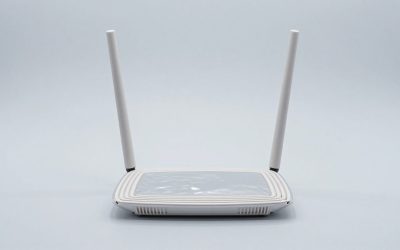
 ASUS ROG Rapture GT-BE98 Pro WiFi 7 GamingQuad-Band13.7 x 8.6 x 13.7 inches4.4 poundsCheck on Amazon
 ASUS ROG Strix GS-BE12000 WiFi 7 Gaming RouterTri-Band8.9 x 3.5 x 8.9 inches2.04 PoundsCheck on Amazon
 TP-Link Tri-Band BE11000 Wi-Fi 7 Gaming Router9.33 x 7.6 x 5.1 inches12.01 x 10.51 x 5.67 Inches2.45 PoundsCheck on Amazon
Short answer: For most homes in 2026, the best wifi routers for gaming are tri-band Wi-Fi 7 models with a 10 GbE WAN port, at least one 2.5 GbE LAN port for a console or PC, and a QoS engine that can pin latency-sensitive traffic — the ASUS ROG Rapture GT-BE98 Pro and TP-Link Archer GE800 sit at the top of that list, the Netgear Nighthawk RS700S is the cleanest multi-gig option if you’d rather not have a gaming-themed interface, and the Netgear Nighthawk Pro Gaming XR1000 is still the cheapest way to get per-game priority and geofiltering. If you’re on a 300–500 Mbps cable plan, a Wi-Fi 6 router with real traffic shaping will give you a lower and steadier ping than a Wi-Fi 7 router with no queue management at all. The radio generation matters far less than the queue management.
Latency control: the only feature that actually changes how a game feels
Throughput is the number on the box; latency under load is the number you feel. A router can post 6 Gbps on a speed test and still add 200–400 ms of delay the moment someone starts a 4K stream or a cloud backup, because the router’s queue fills and your game packets wait behind bulk traffic. That’s bufferbloat, and it is the single biggest fixable cause of “my ping spikes at night.”

MSI Radix AXE6600 WiFi 6E Tri-Band Gaming Router, AI QoS, RGB, 1.8GHz Quad-Core Processor, MU-MIMO, Tri Band Gigabit Wireless, 8-Stream, High Speed Long Range Gaming Router
Chosen because it specifies AI QoS and RGB.
View on AmazonASUS ROG Rapture GT-BE98 Pro WiFi 7 Gaming Router - Quad-Band, 30Gbps, Mesh
Chosen because it specifies Quad-Band and 30Gbps.
View on AmazonASUS ROG Strix GS-BE12000 WiFi 7 Gaming Router - Tri-Band, 12Gbps, Mesh
Chosen because it specifies Tri-Band and 12Gbps.
View on AmazonTP-Link Tri-Band BE11000 Wi-Fi 7 Gaming Router (Archer GE650)
Picked as a relevant option in this category.
View on AmazonThree mechanisms address it, and they are not equal:
- SQM (smart queue management) — algorithms like fq_codel and CAKE, found in OpenWrt-based routers, some Synology models, and a handful of consumer firmware builds. They shape upload and download to just under your line rate and keep the queue short. In practice this is the strongest fix: a connection with 12 ms idle ping and 180 ms loaded ping can land at 14 ms idle and 25 ms loaded.
- Priority-based QoS — device priority, application priority, or a “gaming” toggle. Cheaper to implement, easier to configure, and often good enough when only one other person is streaming. It does less when five devices saturate the uplink at once.
- Game acceleration / route optimization — ASUS’s Game Boost (WTFast-based), Netgear’s DumaOS geo-filter and ping assist, TP-Link’s Game Accelerator. These optimize the path between you and the game server, which helps when your ISP’s routing to a specific region is poor. They do not fix a congested local queue.
Practical targets worth measuring on your own line: idle ping under 20 ms to your usual server region, jitter under 5 ms, and — the one that matters most — added latency under load under 30 ms. If a router can hold that last number while a 4K stream runs, it will feel better than a router with triple the throughput that can’t.
| Connection | Idle ping (typical) | Loaded ping, no QoS | Loaded ping, good SQM | What you feel |
|---|---|---|---|---|
| Fiber 1 Gbps, wired PC | 8–14 ms | 90–220 ms | 15–28 ms | Clean hit registration either way when idle; rubber-banding only during downloads |
| Cable 500 Mbps, wired PC | 14–25 ms | 150–400 ms | 25–45 ms | Noticeable stutter during streams without shaping |
| Cable 500 Mbps, Wi-Fi 5 GHz | 18–30 ms | 200–450 ms | 30–55 ms | Wi-Fi jitter adds 5–15 ms on top of everything else |
| Wi-Fi 6 GHz (Wi-Fi 6E/7) | 15–25 ms | 180–400 ms | 25–45 ms | Less interference, so fewer unexplained spikes |
| Wi-Fi 2.4 GHz | 30–60 ms | 250–600 ms | 60–110 ms | Fine for turn-based games, poor for shooters |
One caveat that no spec sheet mentions: SQM costs CPU. On a 1 Gbps line, full-rate CAKE shaping needs a reasonably fast processor, and on some entry-level routers enabling it caps throughput at 300–600 Mbps. If you’re on multi-gig fiber, check whether the router shapes at line rate or throttles you to do it.
Wi-Fi generation: what 6, 6E and 7 actually change for a gamer
Wi-Fi 6 (802.11ax) introduced OFDMA and 1024-QAM and made dense households work properly. Wi-Fi 6E added the 6 GHz band, which is the biggest practical gaming upgrade of the last five years — not because it’s faster, but because almost nothing else is on it. Wi-Fi 7 (802.11be) adds 320 MHz channels, 4096-QAM, Multi-Link Operation (MLO), and multi-RU puncturing.
For gaming specifically, rank the benefits in this order:
- 6 GHz availability — less interference means fewer latency spikes that you can’t diagnose. Worth more than raw throughput.
- MLO — a Wi-Fi 7 client can use two bands at once, and the practical benefit is that if one band hiccups, traffic continues on the other instead of stalling. Requires a Wi-Fi 7 client; a PS5 or Xbox Series X won’t use it.
- 320 MHz channels — great for throughput, and only usable in the 6 GHz band. In an apartment building with several Wi-Fi 7 routers nearby, 320 MHz channels overlap more and can be worse than a clean 160 MHz channel. Auto channel selection plus a manual scan is the honest answer.
- 4096-QAM — a throughput bump at very close range only. Irrelevant past about 15 ft.
The uncomfortable truth for console owners: the PlayStation 5, PS5 Pro and Xbox Series X/S are Wi-Fi 6 or Wi-Fi 6E class devices with gigabit Ethernet ports. A Wi-Fi 7 router will not make them faster over the air. Where Wi-Fi 7 helps is the wired side — multi-gig ports and a faster backhaul between mesh nodes — and in keeping the airtime free for everything else.
Wired ports: the number that decides your upgrade path
Gaming routers get bought for wireless features and judged by their wired ports. Here’s the practical hierarchy:
- 1 GbE — 940 Mbps real-world ceiling. Fine for a console and for any internet plan up to about 1 Gbps.
- 2.5 GbE — the sweet spot in 2026. Matches common 2.5G PC motherboards, supports 2 Gbps and 2.5 Gbps fiber plans, and works over existing Cat5e in most homes at runs under roughly 150 ft.
- 10 GbE — relevant for multi-gig fiber above 2.5 Gbps, NAS transfers, and mesh backhaul between nodes. Overkill for a single console.
Port count matters more than people expect. Count your devices before buying: gaming PC, console, a second console, TV, streaming box, NAS, and a work laptop dock can be six wired devices. A router with four LAN ports plus a multi-gig WAN is normal; a router with two LAN ports will have you buying a switch within a month. An unmanaged 2.5G switch usually runs $60–$150 and is the cheapest way to extend any of these routers.
Cabling: Cat5e handles 2.5G to 100 m (328 ft) and 1G everywhere. Cat6 handles 10G to about 55 m. Cat6a handles 10G to the full 100 m. If you’re running a cable through a wall once, run Cat6a and stop thinking about it. Pre-made 25 ft Cat6a patch cables generally run $10–$20.
Coverage by home size: the honest square-footage math
Manufacturer coverage claims assume open plan, wood-frame walls, and no competing networks. Real homes have drywall, brick, foil-backed insulation, tile, and a lot of metal appliances. Use these as planning numbers, then add a node if your layout is awkward — a long ranch house covers worse than a compact two-story of the same size.
| Home size | Layout notes | Router setup that works | Expected usable 5/6 GHz range |
|---|---|---|---|
| Apartment, 600–900 sq ft | Neighbours on every side, 2–3 walls max | Single router, centrally placed | One unit covers it; congestion is the enemy, not distance |
| 900–1,600 sq ft | Single floor or small two-story | Single high-end router, or router + 1 mesh node | 30–45 ft through 2 drywall walls; 6 GHz drops off after about 25–30 ft |
| 1,600–2,500 sq ft | Two floors, or one floor with a far bedroom | 2-node mesh, wired backhaul if possible | Node per 1,000–1,200 sq ft when walls are normal |
| 2,500–3,500 sq ft | Two or three floors, finished basement | 3-node mesh, or router + 2 access points | Plan a node per floor; 6 GHz needs line of sight across a floor |
| 3,500+ sq ft | Multiple wings, thick or plaster walls | 3–4 nodes or a prosumer AP system | Wired backhaul becomes mandatory, not optional |
A few placement measurements that beat any coverage claim:
- Height: 5–6 ft off the floor. On the floor loses roughly 3–6 dB of signal in every direction. On top of a tall cabinet in a corner is nearly as bad.
- Cabinet clearance: leave at least 2–3 inches of air on all sides if you must put a router in a media console, and never behind a closed metal door. A metal AV cabinet can cut 5 GHz range by a third and trap enough heat to shorten the router’s life.
- Distance from the console or PC: under 25 ft with one drywall wall is where 6 GHz is reliable. Past 30 ft, expect it to fall back to 5 GHz — which is fine, but means you paid for 6 GHz you’re not using.
- Wall attenuation, roughly: drywall 3–5 dB per wall, brick 10–15 dB, concrete 15–25 dB, foil-backed insulation or metal lath 20+ dB. A 10×12 ft bedroom with one drywall wall between it and the router is easy. The same room behind a brick chimney wall is not.
- Keep it 5–6 ft from a microwave and 3+ ft from a cordless phone base or baby monitor — both sit in or near 2.4 GHz and cause the periodic stutter people blame on their ISP.
Device capacity: how many clients before latency creeps
Every Wi-Fi 6 or 7 router advertises 100+ devices. Real-world capacity is about airtime, and airtime is finite. A rough planning guide:
- 2×2 dual-band Wi-Fi 6, mid-range: comfortable with 25–40 active devices, fine with 60 idle smart-home clients.
- 4×4 tri-band Wi-Fi 6/6E: comfortable with 50–70 active devices, because the third radio absorbs the load.
- Tri-band or quad-band Wi-Fi 7: 80–120 active devices before you notice scheduling delays. MLO and multi-RU help most in exactly this scenario.
Smart plugs, bulbs, and sensors consume very little airtime, but they consume association slots and management frames. A house with 60 smart devices and one gaming PC is usually fine on a mid-range tri-band router. A house with 60 smart devices, four people streaming, and three gamers is not — that’s where tri-band plus wired backhaul stops being a luxury.
The full comparison table
Prices are general market ranges as of 2026 and move with sales and hardware revisions. Port configurations occasionally change between revisions and regions — confirm on the current spec sheet before buying.
| Model | Wi-Fi | Class | Wired ports | Best for | Typical price range |
|---|---|---|---|---|---|
| ASUS ROG Rapture GT-BE98 Pro | Wi-Fi 7, quad-band | BE30000 | 2x 10 GbE + 4x 2.5 GbE | Flagship gaming, multi-gig fiber | $600–$800 |
| TP-Link Archer GE800 | Wi-Fi 7, tri-band | BE19000 | 2x 10 GbE + 4x 2.5 GbE | Best port mix per dollar | $400–$500 |
| Netgear Nighthawk RS700S | Wi-Fi 7, tri-band | BE19000 | 10 GbE WAN + 10 GbE LAN + 4x 1 GbE | Clean multi-gig without gaming UI | $500–$700 |
| ASUS RT-BE96U | Wi-Fi 7 | BE19000 class | Multi-gig up to 10 GbE | Wi-Fi 7 without the gaming tax | $350–$450 |
| Netgear Nighthawk Pro Gaming XR1000 | Wi-Fi 6, dual-band | AX5400 | 4x 1 GbE | Budget geo-filtering and per-game priority | $150–$220 |
| ASUS ROG Rapture GT-AX11000 | Wi-Fi 6, tri-band | AX11000 | 2.5 GbE WAN + 4x 1 GbE | Wi-Fi 6 flagship value | $300–$400 |
| ASUS RT-AX86U Pro | Wi-Fi 6, dual-band | AX5700 | 2.5 GbE + 4x 1 GbE | All-round mid-range, huge community firmware | $200–$280 |
| TP-Link Archer AX11000 | Wi-Fi 6, tri-band | AX11000 | 2.5 GbE WAN + 4x 1 GbE | Gaming features on a Wi-Fi 6 budget | $250–$350 |
| Netgear Nighthawk RAXE500 | Wi-Fi 6E, tri-band | AXE11000 | 2.5 GbE WAN + 5x 1 GbE | 6 GHz on a mature platform | $300–$400 |
| TP-Link Archer AXE300 | Wi-Fi 6E, quad-band | AXE16000 | 10 GbE + 2.5 GbE + 1 GbE LAN | 6E with a 10G port | $250–$350 |
| Linksys Hydra Pro 6E | Wi-Fi 6E, tri-band | AXE6600 | Gigabit only | Easy setup, mesh-compatible | $200–$300 |
| ASUS ZenWiFi Pro ET12 (2-pack) | Wi-Fi 6E mesh | AXE11000 | 2.5 GbE WAN + 2.5 GbE LAN per node | Whole-home 6E with wired backhaul | $400–$500 |
| ASUS ZenWiFi BQ16 Pro (2-pack) | Wi-Fi 7 mesh | BE30000 class | Multi-gig backhaul up to 10 GbE | Large homes wanting Wi-Fi 7 mesh | $700–$900 |
| Netgear Orbi 970 (3-pack) | Wi-Fi 7 mesh, quad-band | BE27000 | 10 GbE WAN + 10 GbE LAN + 2.5 GbE LAN per node | Big houses, wired backhaul, no compromises | $1,500–$1,900 |
| TP-Link Deco BE85 (2-pack) | Wi-Fi 7 mesh | BE22000 | 2x 2.5 GbE per node | Wi-Fi 7 mesh value | $500–$700 |
| ASUS ROG Rapture GT6 (2-pack) | Wi-Fi 6 mesh | AX10000 | 2.5 GbE ports per node | Gaming mesh on Wi-Fi 6 | $350–$450 |
| Ubiquiti UniFi Dream Machine SE + U7 Pro | Wi-Fi 7 AP | Prosumer | 2x 10G SFP+ + 8x 1 GbE (6 PoE+) | Wired-first homes, VLANs, PoE | $500–$600 + $150–$200 per AP |
| GL.iNet Flint 2 (GL-MT6000) | Wi-Fi 6 | AX6000 | 2x 2.5 GbE | CAKE/fq_codel SQM on a budget | $120–$180 |
| Google Nest Wifi Pro (3-pack) | Wi-Fi 6E mesh | AXE5400 class | Gigabit only | Simplest setup, non-gamer households | $300–$400 |
Decision matrix: match the router to your situation
| Your situation | What to prioritise | Sensible picks |
|---|---|---|
| Small apartment, 600–900 sq ft, lots of neighbouring networks | 6 GHz and channel management, not raw range | Netgear RAXE500, TP-Link Archer AXE300, ASUS RT-BE96U |
| 1,500 sq ft house, 500 Mbps cable, one gamer | SQM or strong QoS; gigabit ports are enough | GL.iNet Flint 2, ASUS RT-AX86U Pro, ASUS GT-AX11000 |
| Multi-gig fiber (2 Gbps or faster) | 10 GbE WAN, line-rate shaping, multi-gig LAN | TP-Link Archer GE800, Netgear RS700S, ASUS GT-BE98 Pro |
| Competitive console player, wired Ethernet | Geo-filtering, per-game priority, low jitter | Netgear XR1000, TP-Link Archer GE800, ASUS GT-BE98 Pro |
| Renter, can’t run cables | Wireless backhaul quality, easy app setup | TP-Link Deco BE85, ASUS ZenWiFi BQ16 Pro, Google Nest Wifi Pro |
| Kids, pets, and a router that gets knocked over | Weighted base, no external antennas, wall-mountable, heat management | Deco BE85, Google Nest Wifi Pro, ASUS ZenWiFi ET12 |
| 2,500+ sq ft with a finished basement | Tri-band or quad-band, dedicated backhaul, wired where possible | Netgear Orbi 970, ASUS ZenWiFi BQ16 Pro, Deco BE85 (3-pack) |
| Old house with plaster or brick interior walls | Node count over router power; wired backhaul or MoCA | Orbi 970, ZenWiFi BQ16 Pro, UniFi U7 Pro access points |
| Tinkerer who wants CAKE, VLANs, and full control | OpenWrt-class firmware, CPU headroom for shaping | GL.iNet Flint 2, UniFi Dream Machine SE, ASUS with Merlin firmware |
| Mixed household: gamers plus people who just want it to work | Reliable mesh with a gaming-friendly QoS mode | ASUS ROG Rapture GT6, Deco BE85, ZenWiFi Pro ET12 |
Router-by-router: the picks in detail
1. ASUS ROG Rapture GT-BE98 Pro — the do-everything flagship
If you want the least compromised single box, this is where the shortlist ends. It’s a quad-band Wi-Fi 7 router in the BE30000 class, with a pair of 10 GbE ports (one configurable WAN/LAN, one LAN) plus four 2.5 GbE LAN ports — a port layout that covers multi-gig fiber, a 2.5G gaming PC, a NAS, and both consoles without a switch.
Gaming features are the deepest in the consumer market: ASUS’s Game Boost (WTFast-based route optimization), per-device priority, a mobile game mode that prioritises a phone’s traffic, and a dashboard that shows which device is hogging airtime. Adaptive QoS is genuinely useful here — you can pin a console’s MAC address to the top of the queue and let everything else fight for scraps.
The quad-band design means there are two 5 GHz radios. That’s the practical benefit people miss: one radio can serve the mesh backhaul or a congested device group while the other serves your gaming client, so a 4K stream on the other side of the house doesn’t share airtime with you.
Trade-offs: it’s large (roughly the footprint of a small textbook), it runs warm, and it wants open air — don’t bury it in a cabinet. Setup is app-first but the web UI is complete, which matters if you want to set static routes or VLANs. At $600–$800 it only makes sense if you have multi-gig internet or a lot of wired devices. On a 500 Mbps cable line, you’d be paying for ports and radios you can’t use.
2. TP-Link Archer GE800 — best port mix per dollar
The GE800 is the value flagship of 2026: a tri-band Wi-Fi 7 router in the BE19000 class with two 10 GbE ports and four 2.5 GbE LAN ports for roughly $400–$500. That port configuration is the same shape as the ASUS flagship at a meaningfully lower price, and it’s the reason this is the pick for most people with 2 Gbps fiber and a wired console.
TP-Link’s gaming layer includes Game Accelerator (application and device priority), a dedicated gaming dashboard, and a “gaming port” that automatically prioritises whichever Ethernet port you designate. It also exposes a 6 GHz band that stays comparatively clean, and the RGB lighting can be switched off entirely — a small thing that matters in a living room.
What you give up versus the ASUS: one fewer radio (no second 5 GHz), slightly less granular QoS, and a shorter track record on long-term firmware features. What you gain is the same wired backbone and Wi-Fi 7 radios for a few hundred dollars less.
Setup is app-based and quick — under 15 minutes for a simple configuration. If your ISP requires PPPoE credentials or VLAN tagging, the web interface handles it, but do that on a laptop rather than the phone app.
3. Netgear Nighthawk RS700S — the clean multi-gig option
The RS700S is a tri-band Wi-Fi 7 router in the BE19000 class with a 10 GbE WAN port, a 10 GbE LAN port, and four gigabit LAN ports. That’s a straightforward, honest layout: one very fast pipe in, one very fast pipe out to your PC or a switch, and four ordinary ports for everything else.
It’s the pick if you don’t want a gaming-branded interface. Netgear’s app is clean, the router is a tall, narrow tower that fits on a shelf without dominating it, and the QoS is device-based rather than game-specific. There’s no geo-filtering here — that’s reserved for the Pro Gaming line — so if per-game server selection is what you’re after, look at the XR1000 or the DumaOS-equipped models instead.
Where it shines is stability under load. With a 2 Gbps fiber line and a wired PC, this is a router you configure once and forget. Where it doesn’t: no 2.5 GbE ports, so you’re choosing between 1 GbE and 10 GbE for every wired device. If you have a 2.5G PC, it’ll negotiate down to 1 GbE on the LAN ports, which is a real limitation at this price. Plan on a multi-gig switch if you have several 2.5G devices.
4. ASUS RT-BE96U — Wi-Fi 7 without the gaming tax
If you want Wi-Fi 7 radios, multi-gig wired capability, and ASUS’s full firmware feature set without paying for ROG branding, the RT-BE96U is the sensible middle. It’s in the BE19000 class, supports 320 MHz channels and MLO, and includes multi-gig ports up to 10 GbE on the WAN side — enough for 2 Gbps and 5 Gbps fiber plans.
Because it runs ASUSWRT, it inherits the same Adaptive QoS, device priority, and (where licensed) Game Boost options as the ROG models, just presented in a plainer interface. AiMesh support means you can add a node later rather than replacing the router if coverage falls short.
The honest caveat: it’s less of a “gaming router” in the marketing sense and more of a very good router that happens to have gaming-grade QoS. If you want a dashboard with ping graphs and a mobile game mode, this isn’t it. If you want the same silicon and the same QoS engine for less, it is.
Setup takes about 20 minutes through the app or web UI. One thing to do on day one: update firmware before you configure anything. ASUS ships meaningful Wi-Fi 7 stability fixes regularly, and an unpatched router is both less stable and less secure.
5. Netgear Nighthawk Pro Gaming XR1000 — the budget geo-filter pick
The XR1000 is a dual-band Wi-Fi 6 router (AX5400 class) with four gigabit LAN ports, and it remains the cheapest way to get DumaOS — Netgear’s gaming-focused operating system with a geo-filter that lets you exclude distant servers and a ping assist feature that refuses matches above a latency threshold you set.
For competitive console players, that server-selection control is worth more than a radio generation. Being able to say “don’t put me in a lobby more than 400 miles away” changes match quality more reliably than upgrading from Wi-Fi 6 to Wi-Fi 7 ever will.
Trade-offs are real: gigabit-only ports, dual-band only (no 6 GHz), Wi-Fi 6 radios, and a UI that takes an evening to learn — DumaOS is powerful but not friendly, and the settings that matter are buried. It also has a reputation for needing periodic reboots, so put it on a smart plug or accept a monthly power cycle.
Buy it if you’re on a sub-gigabit connection, you play ranked shooters on a console, and you want server control on a budget. Skip it if you have multi-gig fiber or a house full of Wi-Fi 7 devices.
6. ASUS ROG Rapture GT-AX11000 — the Wi-Fi 6 flagship, now discounted
The GT-AX11000 was the halo gaming router of the Wi-Fi 6 era and it’s still a genuinely fast tri-band AX11000 design with a 2.5 GbE WAN port and four gigabit LAN ports. In 2026 it usually sells for $300–$400, which puts it in an awkward but interesting spot: more money than a mid-range Wi-Fi 6 router, less than any Wi-Fi 7 model worth owning.
What you still get: the full ROG gaming stack — Game Boost, Adaptive QoS with per-device priority, a mobile game mode, and a 2.5G port that matters if your internet plan is between 1 and