Most shoppers searching for a ceiling fan with a bright light end up frustrated: the fan runs well but the integrated light is a dim afterthought, or the fixture blazes bright but the motor sounds like a small aircraft. As a lighting-and-ambience designer, I see this mismatch constantly — people want a single unit that both moves air effectively and fills a room with clean, adjustable illumination, without sacrificing style or sleep-adjacent peace.
This guide narrows the 2026 market to six strong contenders and reviews the five I’d actually spec for a client project. I evaluated each fan on lumen output, colour-temperature flexibility, motor noise, and how the light quality shapes a room’s atmosphere at different times of day. If you’re tired of guessing between listings, read on.
Our top picks
 Ceiling Fans with Lights
- 【52 In Ceiling Fan with Lights】This 52-inch modern…
- 【Dimmable Modern Ceiling Fan】This 52” ceiling fan with…
- 【Reversible Ceiling Fan with Lights】This indoor ceiling fan…
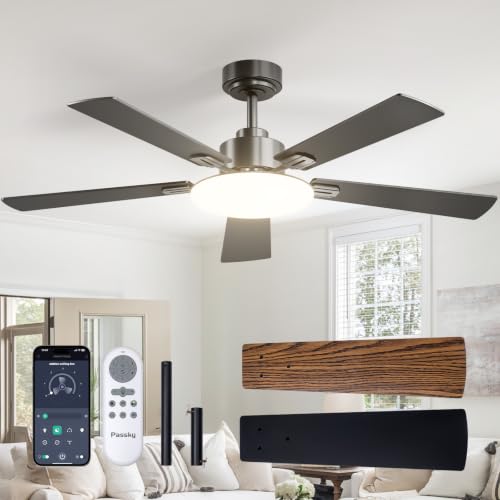 Passky 52 Inch Black Sleek Ceiling Fans
- Ceiling Fan with Light: Passky ceiling fan with…
- Ceiling Fans with Remote: You can use a…
- Noise-free Experience: This modern ceiling fan with light…
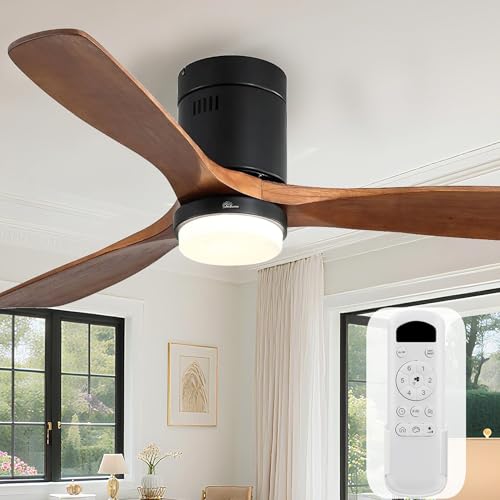 Sofucor 52 Inch Wood Ceiling Fans with
- Multifunctional 52 Inch Ceiling Fans with Lights: Features…
- Quiet DC Motor: Sofucor 52" wood ceiling fans…
- Indoor/Outdoor Flush Mount Ceiling Fan: This ceiling fan…
| Product | Key specs | |
|---|---|---|
| Ceiling Fans with Lights | 【52 In Ceiling Fan with Lights】This 52-inch modern… 【Dimmable Modern Ceiling Fan】This 52” ceiling fan with… 【Reversible Ceiling Fan with Lights】This indoor ceiling fan… | Check price |
| Passky 52 Inch Black Sleek Ceiling Fans | Ceiling Fan with Light: Passky ceiling fan with… Ceiling Fans with Remote: You can use a… Noise-free Experience: This modern ceiling fan with light… | Check price |
| Sofucor 52 Inch Wood Ceiling Fans with | Multifunctional 52 Inch Ceiling Fans with Lights: Features… Quiet DC Motor: Sofucor 52" wood ceiling fans… Indoor/Outdoor Flush Mount Ceiling Fan: This ceiling fan… | Check price |
 Hunter Swanson | Check price | |
 OJX Ceiling Fans with Lights | 【Smart Ceiling Fans with APP & Remote Control】This… 【Quiet Reversible DC Motor】 The fan ceiling with… 【Dimmable & Energy-Efficient LED Lighting】This modern ceiling fan… | Check price |
 ZMISHIBO 52 Inch Ceiling Fans with Lights | Perfect Size for Rooms: This 52-inch ceiling fan… High Configuration: The flush mount fan is equipped… Quiet and Efficient Operation: Experience peaceful relaxation with… | Check price |
As an Amazon Associate we earn from qualifying purchases at no extra cost to you.
🛒 Best Price Today on Amazon
Prime members get fast, free shipping on everything above, plus member-only deals. New members get a 30-day free trial — cancel anytime.
How to Choose a Ceiling Fan With Bright Light (2026)
- Lumen output and dimmability: A truly bright integrated LED should push at least 1,500 lumens on its highest setting while offering smooth dimming down to a soft glow. Look for fixtures that let you tune brightness independently of colour temperature so you can set the exact mood for a dinner party or a Sunday morning.
- Colour-temperature switching (CCT): Three-colour-switchable (3CCT) fans let you toggle among warm white, neutral white, and cool white without swapping bulbs. This is critical for rooms that serve double duty — warm tones for evening relaxation, cooler tones for task-heavy daytime use.
- Motor type and noise floor: DC reversible motors run at roughly one-third the wattage of AC motors and stay below 30 decibels, which is quieter than a whisper. If the fan lives above a bed or a nursery, sub-30 dB operation is non-negotiable.
- Mount style and ceiling height: Low-profile or flush-mount designs sit within four to six inches of the ceiling, making them ideal for eight-foot ceilings or bunk-bed zones. Standard-mount models with downrods suit vaulted or nine-foot-plus spaces where you want stronger downdraft at seating level.
- Control options and smart-home integration: Remote controls are baseline; app-based control lets you schedule lighting scenes and fan speed from your phone. Fans with memory functions that recall your last-used brightness and speed setting save you from re-configuring every evening.
The Best Ceiling Fan With Bright Light (2026)s Reviewed
Passky 52-Inch Black Sleek Ceiling Fan
The Passky nails the ambience brief with three distinct colour temperatures that transition smoothly at every dimming level — no harsh jump between steps. Its matte-black blade assembly reads contemporary without tipping into industrial, and the memory function means the light returns to exactly where you left it. Ideal for bedrooms and covered patios where visual calm matters as much as airflow.
Sofucor 52-Inch Wood Ceiling Fan
Sofucor’s walnut-tone blades bring genuine warmth to a room’s palette, which is rare in the flush-mount category. The 3CCT LED casts an even, diffused wash that avoids the “spotlight centre” effect cheaper units create. At six speed settings it covers everything from a gentle stir to serious summer cooling, and the low-profile housing keeps the silhouette tight against the ceiling.
Hunter Swanson 52-Inch Indoor Fan
Hunter’s Swanson is the pick when a client wants a trusted mechanical pedigree paired with straightforward installation. The five-blade white design disappears against a white ceiling, keeping the focus on the light output rather than the fixture itself. Its pull-chain control is deliberately simple — no app to update, no remote to lose — making it a reliable choice for rental properties or guest rooms.
OJX 52-Inch Ceiling Fan With Light
The OJX stands out for its app-enabled scheduling, which lets you pre-program a gradual brightness ramp that mimics a sunrise above the bed. Build quality feels solid for the price, and the quiet DC motor produces airflow you feel across the room without hearing from across the hallway. A strong all-rounder for open-plan living and kitchen spaces.
ZMISHIBO 52-Inch Ceiling Fan
ZMISHIBO pairs a 20-watt LED with a remarkably compact flush-mount body, making it the best option in this group for low-ceiling apartments. The dimming range is impressively wide — bright enough to light a living room at full, soft enough for a midnight hallway pass at minimum. Easy installation rounds out a package aimed squarely at urban renters who want style without a contractor visit.
Lumen Output and Light Levels: Matching Brightness to Room Size
“Bright” is a vague word until it is tied to a number and a room size. Lighting designers typically work from rough lumen-per-square-foot targets rather than wattage, since LED integrated fixtures no longer map cleanly to the old incandescent-watt habit of judging brightness.
Living Rooms and Great Rooms
For general ambient light in a living room, a common starting target is somewhere in the range of 10 to 20 lumens per square foot, then layered with lamps or wall sconces for reading or task areas. A fan with a bright integrated light can usually cover that ambient layer on its own in a mid-size room, but a very large or open-plan great room may still need secondary lighting at the edges where the fixture’s throw weakens.
Kitchens and Task Areas
Kitchens and other task-heavy rooms call for noticeably more light, often cited in the 70 to 80 lumens per square foot range directly over counters and prep zones, because fine tasks like chopping or reading labels need stronger, more even light than a room meant only for sitting and talking.
Bedrooms and Low-Glare Needs
Bedrooms sit closer to the living-room end of the scale, and dimmability matters more than peak output, since the same fixture needs to go from a bright reading level down to a soft, low-glare setting for winding down at night.
Color Temperature and CRI: Why “Bright” Isn’t the Same as “Good Light”
Two fixtures can report similar lumen numbers and still look completely different once installed, because color temperature and color rendering shape how that light is actually perceived.
Kelvin Ranges and Mood
Warm light around 2700K to 3000K reads as cozy and is the closest match to older incandescent bulbs, which suits living rooms and bedrooms. Neutral light around 3500K to 4100K feels cleaner and more functional, a common choice for kitchens and bathrooms. Daylight tones above 5000K read as cool and clinical for most living spaces, and tend to suit garages, workshops, or utility rooms better than a main living area.
CRI Thresholds for Color Accuracy
Color rendering index, or CRI, describes how accurately a light source reveals true colors compared with natural daylight. A CRI above 90 is generally considered excellent and is worth prioritizing in kitchens or any room where skin tones, food, or fabric color matter. A CRI in the 80s is acceptable for general ambient use but can make colors look slightly flat or shifted under close inspection.
DC Motors vs AC Motors: Efficiency, Noise, and Speed Control
The motor inside a ceiling fan matters as much as the light kit on top of it, and the DC-versus-AC choice affects three things buyers care about: electricity use, noise, and how finely the speed can be adjusted.
DC motors are generally more efficient at converting electricity into airflow, which means less wasted heat and a noticeably quieter hum, especially at low speeds. They also typically offer more distinct speed steps, often six instead of the three speeds common on AC motors, which makes it easier to find a setting that moves air without feeling like a wind tunnel. The trade-off is that DC motor fans usually depend on a remote or app for full control rather than a simple pull chain.
AC motors remain common because they are simpler to manufacture and service, and a basic pull-chain AC fan is often the easiest unit to retrofit into an older home with no neutral wire at the switch. The compromise is a louder motor at higher speeds and coarser speed steps, which matters more in a bedroom than in a garage.
Blade Span and Downrod Sizing for Your Ceiling
A fan rated for strong airflow still underperforms if the blade span or mounting hardware does not match the room, and this is one of the most commonly overlooked specs on a product listing.
| Room Size | Typical Blade Span | Mounting Note |
|---|---|---|
| Small room (under roughly 75 sq ft) | 29 to 36 inches | Flush or short downrod mount keeps proportion to the room |
| Medium room (roughly 75 to 175 sq ft) | 42 to 48 inches | Standard downrod length for 8 to 9 foot ceilings |
| Large room or open-plan space (over 175 sq ft) | 52 to 56 inches, sometimes larger or dual-fan layouts | Longer downrod needed as ceiling height increases |
As a general safety and comfort guideline, blades are best kept at least 7 feet above the floor, with 8 to 9 feet considered more comfortable in rooms with taller ceilings, which is why the correct downrod length changes with ceiling height rather than staying fixed across every install.
Flush Mount vs Downrod vs Angled-Ceiling Installation
Mounting style is a compatibility question as much as a style choice, and getting it wrong is one of the more expensive mistakes to fix after installation.
Flush Mount (Hugger) Fans
Flush mount fans sit close to the ceiling with no downrod, which suits rooms with roughly 8-foot or lower ceilings where a hanging fan would feel too low. The trade-off is usually a small reduction in airflow compared with a downrod-mounted version of the same blade span, since the blades sit closer to the ceiling surface.
Standard Downrod Mounting
A downrod lowers the fan into the room’s actual living space rather than leaving it pressed against the ceiling, which is the standard approach for 9-foot and taller ceilings. Many fans ship with a single downrod length, and taller rooms often need a longer aftermarket downrod sold separately.
Sloped or Vaulted Ceilings
Angled ceilings need a sloped-ceiling adapter kit or a canopy rated for the slope angle; mounting a standard flat-ceiling fan on a steep slope without the adapter can leave the blades tilted and unbalanced, which shows up later as wobble and noise rather than as an obvious problem at install time.
Smart Control, App, and Voice Compatibility: What to Check Before You Buy
Smart features vary a lot more between ceiling fans than the marketing copy suggests, so it is worth checking exactly what “smart” means on a given listing before assuming it works with an existing smart-home setup.
Some fans only pair with their own branded app and a included remote, with no bridge to third-party ecosystems at all. Others connect directly over Wi-Fi or Bluetooth and support voice assistants, which allows scheduling and grouping with other smart-home routines. A separate smart switch or smart bulb adapter can sometimes add basic on/off voice control to a fan that is not natively smart, but that workaround usually cannot control fan speed or light dimming independently the way a purpose-built smart fan can.
Reverse Airflow and Seasonal Settings
A reverse switch changes the blade rotation direction, and using it correctly through the year is one of the simplest ways to get more value out of a bright-light ceiling fan without touching the thermostat.
In warmer months, blades spinning counterclockwise push air straight down, creating the wind-chill effect that makes a room feel cooler at the same thermostat setting. In colder months, switching to clockwise rotation at a low speed pulls air upward and gently redistributes warm air that has risen to the ceiling back down along the walls, which can even out room temperature without adding heat. Fans with a remote or app-based reverse switch make this seasonal change far more convenient than older models with a small manual toggle on the motor housing.
Electrical and Structural Requirements Before Installation
A ceiling fan is heavier and puts more ongoing mechanical stress on its mounting point than a standard light fixture, which is why the junction box behind it matters more than most buyers expect.
Building codes in most areas require a fan-rated electrical box, not a standard light-fixture box, because fan-rated boxes are built and secured to handle the added weight and the vibration from a spinning motor. Many fan-rated boxes are certified to support roughly 35 to 70 pounds depending on the rating, and a heavier fan with a large light kit should be checked against that rating rather than assumed to be fine. It is also worth confirming whether the light kit needs a separate switch or compatible dimmer, since some integrated LED drivers flicker or hum on dimmers that were not designed for LED loads.
Noise, Wobble, and Balance: What Causes a Fan to Hum or Shake
A fan that wobbles or hums is almost never defective on arrival; the cause is usually something adjustable rather than a motor fault.
- Unbalanced or warped blades. Blades that do not weigh the same or have warped slightly in shipping will wobble at higher speeds; balancing kits with small weights are sold specifically to correct this.
- Loose mounting hardware. Downrod pins, canopy screws, and blade-arm bolts can loosen slightly after the first few weeks of use as parts settle, and a seasonal check-and-tighten pass solves most new wobble complaints.
- Uneven blade-arm angle. If one blade arm sits at a slightly different pitch than the others, the fan pushes air unevenly and shakes even when every blade weighs the same.
- Loose light kit components. A rattling light kit or glass shade is frequently mistaken for motor noise, so check the light fixture hardware before assuming the motor itself is at fault.
Maintenance and Bulb Replacement Over Time
Bright-light ceiling fans split into two very different long-term ownership experiences depending on whether the light is a standard bulb socket or a sealed integrated LED module.
Standard socket fixtures let you swap in a brighter, dimmer, or different color-temperature bulb at any time, which keeps the fixture flexible for years. Integrated LED fixtures, which are increasingly common on bright-light fans, are typically rated for tens of thousands of hours of use and are usually not designed to have the LED panel itself replaced the way a bulb is; when they eventually dim significantly, the usual fix is replacing the whole light kit or fan rather than a bulb. Either way, dust buildup on the blades is the most common everyday maintenance issue, since a dusty blade both looks dirty and moves measurably less air than a clean one, which can make a fan feel weaker over time even though nothing has mechanically failed.
Light Kit Shapes and Glare Control
Two fixtures with identical lumen output can feel completely different to sit under, because the shape of the light kit controls how directly that light hits your eyes rather than just how much of it there is.
Flush Lens and Frosted Covers
A flat or frosted lens diffuses the LED array behind it, spreading the light out and softening the point-source glare that a bare bulb or exposed LED strip tends to produce. This style generally reads as more comfortable to sit directly under for long periods, such as over a dining table or a seating area.
Bowl and Caged Fixtures
Bowl-style shades aim light downward and slightly outward, which works well for general room lighting but can leave the area directly beneath the fan dimmer than the edges of the room. Caged or exposed-bulb designs lean toward a decorative look and tend to throw more direct glare, so they suit rooms where the fan is viewed from an angle rather than sat directly underneath.
Uplight vs Downlight Components
Some bright-light fans add an uplight element that bounces light off the ceiling for softer ambient fill, in addition to the main downlight. That combination can make a single fixture feel brighter overall without increasing glare, since the ceiling-bounced portion of the light is indirect by nature.
Remote, Wall Control, and Pull Chain: Comparing Control Types
How you actually turn the fan and light on day to day matters as much as any spec sheet number, and the three common control types each come with a different trade-off.
Handheld Remote
A remote is the most flexible option since it does not require any wiring changes, and most remotes control fan speed, light brightness, and the reverse switch from one device. The trade-off is a small battery-powered unit that can get misplaced, and losing it often means climbing up to the canopy to access manual controls.
Wall-Mounted Smart or Standard Control
A wall control, whether a simple rocker or a smart touch panel, stays in a fixed, predictable spot and is harder to lose than a remote. Retrofitting one into an existing switch box may require a neutral wire, which is not present in every older home’s wiring, so this is worth checking before assuming any wall control will drop in without an electrician.
Pull Chain
A pull chain is the simplest and most failure-resistant control, with no batteries, pairing, or wiring changes needed, but it typically limits adjustment to a fixed number of mechanical speed steps and offers no dimming for the light without an additional control added separately.
Humidity, Covered Outdoor, and Damp-Location Use
A ceiling fan with a bright light rated for a dry indoor room is not automatically safe for a bathroom, covered porch, or other damp space, and mixing these up is both a performance and a safety issue.
Fans and light kits intended for consistently damp or wet locations, such as covered outdoor porches or bathrooms with heavy shower steam, are built with moisture-resistant motor housings and sealed electrical components to resist corrosion and condensation. Using a fixture rated only for dry locations in a consistently humid space can shorten motor life and, more importantly, create an electrical safety risk around the light kit’s wiring. If the install location is anything other than a standard dry living space, confirm the damp- or wet-location rating on the specific listing rather than assuming a general indoor fan will hold up.
Matching Fan Proportions to Room Height and Width
Beyond the airflow and downrod math, a ceiling fan is a large visual object in the room, and getting the proportions wrong makes even a well-performing fixture look awkward.
A common visual guideline is to keep the fan’s blade span roughly in line with the room’s shortest wall dimension once furniture clearance is accounted for, rather than sizing purely off square footage. In rooms with especially tall ceilings, a visually heavier fixture with a longer downrod tends to look more intentional than a small fan perched far above eye level, while in rooms with standard 8-to-9-foot ceilings, oversizing the fan relative to the furniture below it can make the whole room feel visually crowded even when the airflow numbers are correct for the square footage.
Energy Use Considerations Over a Year of Operation
Ceiling fans are inexpensive to run compared with whole-room air conditioning, but the light kit and motor type both affect how that running cost adds up over a full year of regular use.
Integrated LED light kits draw meaningfully less power than older incandescent or halogen ceiling fan light kits for a comparable lumen output, which matters most in rooms where the light runs for several hours a day rather than just occasionally. On the motor side, a DC motor’s efficiency advantage is most noticeable at low and medium speeds, since that is where a fan spends most of its operating hours in typical use, while the gap between DC and AC narrows at the highest speed setting. Running a fan on a moderate speed with the thermostat raised a few degrees in summer is generally a lower-cost way to stay comfortable than relying on air conditioning alone, though the fan itself does not lower room temperature the way cooling equipment does.
Replacement Parts and Long-Term Support
A ceiling fan is a long-term fixture, often staying installed for a decade or more, so it is worth thinking past the first year of ownership before buying one.
Check whether the manufacturer sells individual replacement parts, such as blade sets, glass shades, or remote controls, separately from the full unit, since a single cracked shade or a lost remote should not mean replacing the entire fixture. Brands with a longer retail history and wider distribution tend to keep replacement parts available for longer after a given model is discontinued, while lesser-known brands can be harder to source parts for once a model is phased out. If the light kit is a sealed, non-replaceable LED module rather than a standard bulb socket, factor that into the long-term decision as well, since the light kit’s eventual dimming becomes a whole-fixture question rather than a simple bulb swap.
Common Mistakes When Buying a Ceiling Fan With Bright Light
- Buying on lumens alone. A high lumen number with a low CRI or a harsh color temperature can still look worse in the room than a slightly dimmer, better-balanced fixture.
- Ignoring the downrod length for the actual ceiling height. A fan that looks right in product photos can hang too high or too low once installed on a ceiling taller or shorter than the one it was photographed on.
- Skipping the electrical box check. Assuming an existing light-fixture box can hold a ceiling fan is a common and sometimes unsafe mistake; it needs to be fan-rated.
- Overlooking dimmer compatibility. Installing an LED-equipped fan on an old incandescent dimmer often causes flicker or buzzing rather than smooth dimming.
- Assuming “smart” means full ecosystem support. Some smart fans only work inside their own branded app, not with existing voice assistants or smart-home hubs.
- Forgetting the reverse switch exists. Many owners run the fan in the same direction year-round and miss the comfort and efficiency benefit of switching rotation seasonally.
Which One Should You Buy?
| If you… | Choose… |
|---|---|
| Want a sleek, modern look with strong ambient brightness | Passky 52-Inch Black Sleek Ceiling Fan |
| Prefer a warmer, natural-material look in the room | Sofucor 52-Inch Wood Ceiling Fan |
| Want a recognizable brand with broad retailer support | Hunter Swanson 52-Inch Indoor Fan |
| Are prioritizing the light output specifically over styling | OJX 52-Inch Ceiling Fan With Light |
| Want a budget-friendly option that still covers a mid-size room | ZMISHIBO 52-Inch Ceiling Fan |
Myths vs Facts About Ceiling Fans With Bright Lights
Myth: a bigger blade span always means more airflow. Fact: airflow depends on blade pitch and motor power as much as span; a well-engineered 44-inch fan can move more air than a poorly designed 56-inch one.
Myth: LED ceiling fan lights never need attention. Fact: integrated LEDs dim gradually over tens of thousands of hours like any light source, and dust on the lens or blades reduces effective brightness well before the LED itself fails.
Myth: any dimmer switch works with any ceiling fan light. Fact: LED drivers need dimmers rated for LED loads; using an old incandescent-rated dimmer is a common cause of flicker and buzzing.
Myth: DC motors are only worth it for ceiling height or size reasons. Fact: the main DC advantage is efficiency and quieter, finer speed control, which matters in any room size, not just large ones.
Myth: reversing the fan direction only matters for heating in winter. Fact: the summer counterclockwise setting is just as deliberate, since it is what creates the cooling wind-chill effect in the first place.
Ceiling Junction Box Weight Ratings and Fan-Rated Boxes
Why a Standard Light-Fixture Box Is Not Enough
A box designed to hold a light fixture is rated for a fraction of the ongoing vibration and dynamic load a spinning ceiling fan creates. Electrical codes require that any box supporting a paddle fan be specifically listed for that purpose and marked with the maximum weight it can carry. A light-duty box can crack, pull loose from its ceiling brace, or work itself free over months of operation even if the fan feels solid on installation day.
What the Weight Rating Actually Covers
The marked rating on a fan-rated box reflects the static and dynamic weight the mounting hardware was tested to hold, not just the fan’s shipping weight. Larger fans with metal blades and a light kit attached can approach a lighter-duty box’s rating even when the fan looks similar in size to a smaller model. Checking the fan’s fully assembled weight, including the light kit and any glass shade, against the box’s listed rating is a step that’s easy to skip when swapping a light fixture for a fan during a remodel.
Bracing for Fans Mounted Between Joists
When a fan location falls between ceiling joists rather than directly under one, an adjustable fan-rated brace spans the gap and transfers the load to both joists instead of relying on the box alone. This bracing is sold separately from many fan kits and is often skipped by installers working quickly, which is one of the more common reasons a seemingly well-installed fan develops a wobble or sag months after installation.
Signs an Existing Box Needs Replacing Before a Fan Goes Up
A box that is loose in the ceiling, mounted to a plastic bracket rated only for light fixtures, or missing its weight-rating label should generally be treated as unsuitable for fan support until it is replaced or reinforced. Because the box sits inside the ceiling once drywall is patched around it, confirming it is fan-rated before the fan goes up is far easier than diagnosing a wobble or noise complaint after the fact.
Airflow Efficiency: CFM per Watt and What Energy Star Actually Measures
Why Motor Wattage Alone Doesn’t Tell You Much
A higher-wattage motor doesn’t automatically move more air; it can simply mean the motor is less efficient and wastes more energy as heat. The more useful number for comparing fans is airflow per watt, typically expressed as cubic feet per minute (CFM) divided by watts consumed at a given speed setting. Two fans with similar CFM ratings can have meaningfully different running costs over a year if one needs far more wattage to reach that airflow.
How Energy Star Certification Is Scored
Energy Star’s ceiling fan criteria weigh airflow efficiency across multiple speed settings, not just high speed, because most fans spend the majority of their runtime on low or medium. A fan that is efficient only at its top setting but wasteful at everyday speeds can still fail to meet the certification’s blended efficiency bar, which is why Energy Star status is a reasonable efficiency shortcut even without comparing raw CFM-per-watt numbers directly.
Reading a CFM Rating in Context
CFM figures published by manufacturers are typically measured at the fan’s highest speed setting under standardized test conditions, so they represent a ceiling, not an average. A room that primarily needs gentle year-round air movement rather than maximum cooling on the hottest days may be better served by a fan with strong low- and medium-speed efficiency than one that only shows an impressive number at full blast.
Comparing Fans With Different Blade Counts Fairly
Blade count alone is a weak predictor of airflow; a well-engineered three-blade fan can move more air than a poorly optimized five-blade fan because pitch, blade shape, and motor torque matter more than how many blades are spinning. When comparing CFM-per-watt figures across fans with different blade counts, that efficiency number is the fair comparison point, not an assumption that more blades automatically means more airflow.
Blade Pitch Angle and Material: Why They Change How Air Feels in a Room
What Pitch Angle Actually Does
Blade pitch is the angle a blade makes relative to the plane it spins in, and it has a direct effect on how much air moves per rotation. A steeper pitch, generally in the range manufacturers describe as “performance” blades, pushes more air per revolution but asks more of the motor to maintain speed. A shallower pitch moves less air per rotation but can run quieter and more efficiently at everyday speeds.
Material Trade-Offs: Wood, MDF, ABS, and Metal Blades
Solid wood and metal blades tend to hold their shape and balance better over years of temperature and humidity swings than MDF or ABS composite blades, which can warp slightly in humid climates or near a kitchen. A warped blade doesn’t have to be dramatic to cause a wobble; even a small change in one blade’s angle relative to the others throws off the fan’s balance at higher speeds.
Why Identical-Looking Fans Can Feel Different in the Same Room
Two fans with the same blade span and motor size can still move noticeably different amounts of air if their pitch and blade material differ, which is part of why a fan that performed well in one living room doesn’t automatically match expectations in a different space. Matching pitch and material to the room’s climate and the airflow priority, rather than assuming blade span is the deciding factor, generally gives a more predictable result.
Dual-Finish Blades for Seasonal or Decor Changes
Some blade sets are finished differently on each side, letting an owner flip them to match a seasonal look or a room repaint without buying a new fan. This has no effect on airflow performance since pitch and material stay the same either way, but it is worth checking whether a listed “reversible” blade refers to a finish flip or an actual reverse-rotation feature, since the two terms get used loosely in product listings.
Dimmer Compatibility and Flicker: Triac, ELV, and Integrated LED Drivers
Why a Wall Dimmer Can Make an Integrated Light Flicker or Buzz
Many ceiling fan light kits use a built-in LED driver designed to be controlled by the fan’s own remote or wall control, not by a separate household dimmer switch already wired into the circuit. Pairing an older triac-based incandescent dimmer with this kind of integrated driver is a common cause of visible flicker, a faint buzzing sound, or a light that only dims across a narrow part of the switch’s range.
Triac vs ELV/Reverse-Phase Dimmers
Standard triac (forward-phase) dimmers cut power at the start of each electrical cycle and work well with older incandescent and some dimmable LED bulbs, but many integrated fan light drivers are designed around electronic low-voltage (ELV, or reverse-phase) dimming instead, which cuts power at the end of the cycle. Using the wrong type is one of the more common reasons a fan light dims unevenly or will not dim below a certain brightness.
| Dimmer Type | Typically Pairs Well With | Common Symptom When Mismatched |
|---|---|---|
| Triac (forward-phase) | Incandescent, some dimmable LED bulbs | Flicker or buzz with integrated LED drivers |
| ELV / reverse-phase | Many integrated LED fan light drivers | Light fails to turn on below a certain level if misapplied to incandescent |
| Fan-specific remote/app dimming | Fans with a sealed, non-replaceable light driver | No flicker, but no third-party dimmer control possible |
Why Some Fan Lights Should Not Be Wired to Any Wall Dimmer
Fans with a sealed light driver controlled only by remote or app are generally not designed to be dimmed by an external switch at all; wiring one behind a wall dimmer can leave the dimmer stuck at full output or cause the fan’s own electronics to misread the reduced voltage as a fault. Checking whether the light kit’s dimming is remote-only or dimmer-switch-compatible before installation avoids a flicker problem that cannot be solved by changing the bulb.
Smart Home Ecosystem Fragmentation: Matter, Thread, and Hub Lock-In
Why “Smart Compatible” Doesn’t Mean Compatible With Everything
A fan advertised as smart-home compatible is often built around one specific ecosystem’s app and cloud account, with voice control added through that same company’s skill or integration rather than a universal standard. Two fans that both claim smart support can still refuse to appear in the same home-automation app if their underlying platforms do not overlap.
What Matter Actually Changes
The Matter standard is intended to let smart devices work across multiple hubs and voice assistants without each brand building its own integration into every platform, but adoption among ceiling fan manufacturers has been slower than for lights or plugs, partly because fan control (speed steps, reverse direction, and light dimming together) is a more complex device profile than a simple on/off switch. A fan’s smart features should be checked against the specific standard it uses, not assumed to be Matter-based just because it is described as “smart.”
Thread as a Radio, Not an App
Thread is a low-power mesh networking radio that some newer smart fans use instead of, or alongside, Wi-Fi, and it generally needs a Thread border router already present in the home, often built into certain smart speakers or hubs, to function. A fan with a Thread radio but no border router nearby may fall back to a weaker connection method or fail to pair reliably, which is a detail easy to miss when a listing simply says “Thread-enabled.”
Practical Questions Before Assuming Ecosystem Fit
Before buying a smart fan for an existing setup, it is worth confirming whether the fan needs its own hub, works through an existing one, or requires its own separate app regardless of what other smart devices are already installed. A fan that is locked to its own app can still be useful, but it will not offer the single-dashboard control that is often the actual reason someone wants a smart fan in the first place.
Retrofit Wiring When There Is No Existing Ceiling Fan Box
Switch-Leg Wiring: One Switch vs Two
A fan and its light kit are typically easiest to control independently when the circuit has two separate switch legs feeding the fixture location, one for fan speed and one for the light. Older homes wired for a single ceiling light usually have only one switched hot wire reaching the box, which means the fan and light either turn on and off together or need the fan’s own remote/wall receiver to separate the two controls electronically instead of through house wiring.
Remote and Wall-Control Receivers as a Wiring Workaround
Many fan kits include a small receiver module that sits inside the fan canopy and lets a single switched circuit still control fan speed and light level independently, using an included remote or a separate low-voltage wall control instead of the home’s existing switches. This is usually the simpler fix compared to running new wire through finished ceilings and walls, though it does mean the original wall switch typically needs to stay in the “on” position to keep power flowing to the receiver.
When Running New Wire Is Still the Better Option
If a room will have multiple ceiling fixtures controlled from more than one entry point, or if a household strongly prefers physical wall switches over a remote, running a proper two-wire switch leg during a renovation is generally worth the extra labor rather than relying on remote receivers long-term, since a remote can be lost or its receiver can fail years before the fan motor does.
Warranty Coverage Differences Between Motor, Light Kit, and Remote
Why Warranty Length Often Isn’t One Number
Ceiling fan warranties frequently split coverage by component: the motor often carries the longest warranty period since it is the most expensive part to replace and the least likely to fail from normal wear, while the light kit, remote, and any electronic control module are commonly covered for a shorter period. A fan advertised with a long warranty headline may still only cover the motor for that full duration, with everything else covered for a fraction of the time.
What Typically Voids Coverage
Warranties on ceiling fans commonly exclude damage from improper installation, including mounting to a non-fan-rated box, using the wrong wattage or style of replacement bulb in a light kit, or exposing an indoor-rated fan to humidity or weather it was not designed for. Because the installer rather than the manufacturer is usually responsible for confirming the mounting box is fan-rated, a warranty claim for a wobble or motor failure can be denied if that step was skipped, even if the fan itself was not at fault.
Registering a Fan and Keeping Proof of Installation Date
Manufacturers that require product registration to activate full warranty terms will generally deny or shorten a claim if registration never happened, so keeping the original box, receipt, and any registration confirmation for the length of the stated motor warranty is worth doing even for a fan that seems unlikely to ever need a claim.
Replacement Parts Availability vs Warranty Period
A warranty period and the length of time replacement parts stay available are not the same thing; a motor warranty can run several years while remote controls, light kit glass, or specific blade finishes for that model go out of production well before the warranty expires. Checking parts availability separately from the warranty terms matters more for fans with unusual blade finishes or integrated light shapes that are not shared across a manufacturer’s other models.
Tunable White and Color-Changing Light Kits: Dimming Curve Quality
What Tunable White Actually Adjusts
A tunable white light kit shifts color temperature across a range, commonly from a warm 2700K to a cooler 5000K or higher, rather than changing brightness alone, which lets one fixture serve as a warmer accent light in the evening and a brighter, cooler task light during the day. This is a different feature from simple dimming, and a fan can offer one without the other.
Why a Smooth Dimming Curve Matters More Than the Lowest Setting
A light kit’s lowest achievable brightness gets a lot of attention in marketing, but how evenly it steps down through the middle of its range matters more day to day. Some integrated drivers jump unevenly between steps, dropping noticeably at one point on the dial and barely changing at another, which makes fine-tuning a room’s mood lighting harder than the lowest-lumen spec suggests.
Color-Changing (RGB or RGBW) Kits as a Separate Category
Fans marketed with color-changing light kits are generally aimed at accent or novelty lighting rather than primary room illumination, and their maximum brightness in full-color modes is often lower than the same fixture’s plain white output. Treating a color-changing kit as a supplemental light rather than the room’s main light source avoids a common disappointment when the colored modes do not illuminate a space as evenly as expected.
Flicker at Low Dimming Levels With PWM Drivers
Many LED drivers dim by rapidly switching the light on and off, known as pulse-width modulation, rather than truly lowering voltage, and at low brightness settings the switching frequency can drop low enough to be perceptible to some people as flicker, even if it is not visible in a quick glance. This is more noticeable on camera or in peripheral vision than when looking directly at the fixture, and it is a separate issue from the dimmer-compatibility flicker described earlier, since it can happen even with the fan’s own matched remote control.
Shipping Damage, Blade Warping, and Pre-Installation Checks
Why Ceiling Fans Are Prone to Shipping Damage
Ceiling fans ship in long, relatively light boxes with blades and a motor housing packed close to the box walls, which makes them more vulnerable to corner drops and crushing than denser, more compact appliances. Blade warping, a cracked light kit lens, or a dented motor housing can all happen in transit without the outer box showing obvious damage.
Checking Blade Balance Before Mounting
Laying all blades flat on an even surface before installation and comparing their edges is a simple way to catch a warped blade while it is still easy to exchange, rather than after the fan is mounted and wobbling. A blade that rocks or does not sit flush with the others is a stronger warning sign than small cosmetic scuffs on packaging.
Confirming Hardware and Fasteners Are Complete
Fan kits include specific fasteners sized for their blade brackets and canopy, and a missing or substituted screw is a common source of a rattle or an improperly seated blade arm. Counting hardware against the included manual before starting installation avoids discovering a missing part halfway through mounting, when a ladder is already up and the ceiling box is open.
What to Photograph Before Disposing of Packaging
If a damage or missing-parts claim becomes necessary, having photos of the box condition, the packing materials, and the specific damaged part, taken before any installation attempt, generally makes a replacement or refund process faster than describing the issue after packaging has already been discarded.
Capacitor-Based vs Electronic Speed Control: Why Older Wall Switches Can Fail New Fans
How Older AC Fans Controlled Speed
Many older AC-motor ceiling fans used a simple capacitor-based speed control, either built into a pull-chain switch or a wall control, that reduced speed by altering the motor’s effective winding behavior through a small number of fixed steps, typically three. This method is mechanically simple and rarely fails on its own, but it is designed around the specific motor it shipped with.
Why a New Fan Doesn’t Always Work With an Old Wall Control
Newer fans, especially DC-motor models, generally use an electronic speed control that expects a steady, uninterrupted voltage rather than the stepped voltage reduction an old capacitor-based wall control provides. Wiring a new DC fan to an old three-speed wall control built for a capacitor-controlled AC fan can cause the fan to run at only one speed, hum, or fail to respond to the control at all.
Matching Control Type to Motor Type During a Swap
When replacing an older fan with a newer model, checking whether the existing wall control is compatible with the new fan’s control electronics, rather than assuming any three-speed switch works with any fan, avoids a situation where the fan itself is fine but the inherited wall control is the actual source of erratic speed behavior. The fan’s included remote and receiver module, when present, is generally the safer default over reusing an old household switch for this reason.
Transformer Hum vs Motor Hum: Telling Electrical Noise Apart
Why a Light Kit Can Hum Even When the Motor Is Silent
Some integrated LED drivers and the small step-down transformers feeding them produce a faint electrical hum of their own, separate from anything the fan motor is doing. This kind of hum typically continues even when the fan blades are stopped and only the light is on, which is the simplest way to tell it apart from a motor or balance-related noise that only appears while the blades are spinning.
Dimmer-Induced Buzz vs Driver-Induced Hum
A buzz that appears only at certain dimmer settings generally points back to the dimmer-compatibility issue described earlier, while a steady hum present at every brightness level, including full on, more often points to the driver or transformer itself. Distinguishing the two before contacting support or attempting a fix saves time, since a dimmer mismatch and a failing driver call for different corrections.
When Electrical Noise Signals a Component Nearing Failure
A hum that grows louder over weeks, or that is joined by flickering or intermittent dropout, is a more useful warning sign than a quiet, constant hum that has been present since installation. The former pattern is more consistent with a driver or transformer nearing the end of its service life, while a faint, unchanging hum is more often just a normal characteristic of that particular component.
Two-Wire vs Three-Wire Ceiling Boxes: Why Some Fans Can’t Get Independent Light and Fan Control
A ceiling fan with a bright light needs a way to run the motor and the light kit on separate controls, and that depends on wiring that exists behind the ceiling box before the fan ever arrives. A standard two-wire box (one hot, one neutral, plus ground) only supports a single switched circuit, so the fan and light turn on and off together unless the fan has its own remote or wall receiver that splits the signal electronically. A three-wire box, with two switched hots arriving from a double-gang wall switch, lets a wall control operate the fan and light independently without any added electronics.
Buyers in older homes often discover this gap after the fan is already mounted: a remote-equipped fan can work around a two-wire box, but a wall-control-only fan kit may not, unless the room’s switch box is rewired first. Checking which wiring the room already has, before choosing between a remote kit and a wall-control kit, avoids a mid-installation surprise.
Blade Count: Does More Blades Mean Better Airflow or Just a Different Look
Ceiling fans in this category ship with anywhere from three to five blades, and the difference is mostly aesthetic rather than performance-driven once motor size and blade pitch are held constant. A three-blade fan with a stronger motor and steeper pitch can move more air than a five-blade fan with a weaker motor and shallower pitch, because airflow comes from blade pitch, blade width, and motor torque working together, not from blade count alone. More blades do add a small amount of balancing stability and can quiet certain wobble patterns, but the effect is secondary to how well the fan is installed and balanced in the first place.
Shoppers choosing between two similarly priced options with different blade counts should weigh the motor spec and pitch angle first and treat blade count as a style decision rather than a performance one.
Minimum Blade Height Clearance Before You Buy
Most residential electrical and building guidance calls for at least seven feet of clearance between the floor and the lowest point of the fan blades, and a light kit hanging below the blades can eat into that number faster than buyers expect. A fan rated for an 8-foot ceiling with a flush mount still needs the light kit’s lowest point checked against that same seven-foot figure, not just the blade height, because a pendant-style light kit can hang several inches lower than the blades themselves. Rooms with ceilings at or near 8 feet are the tightest fit for this category and usually need a flush or “hugger” mount with a low-profile light kit rather than any downrod length.
Confirming the light kit’s total hang distance, not just the fan’s blade height rating, is the detail that prevents a fixture from ending up at head height in a room with a standard 8-foot ceiling.
Non-Replaceable LED Light Engines: What Happens When Only the Light Fails
Most ceiling fans with integrated bright lights use a sealed LED light engine rather than a socket that accepts a standard replacement bulb, which simplifies the fixture but changes what happens when only the light side fails. A motor that still spins fine after the integrated LED dims or fails usually cannot have just the light engine swapped by the owner; the fix is typically a manufacturer-sold replacement light kit module matched to that exact fan model, not a generic bulb from a hardware store. Fans that still use a separate bulb socket, by contrast, let an owner swap in any compatible bulb immediately.
Buyers who want a long-term hedge against this failure mode should check whether the manufacturer sells the light kit module separately before buying, since availability varies a lot between brands and tends to shrink a few years after a model is discontinued.
Matching Multiple Fans in an Open Floor Plan for Consistent Light Color
Open floor plans with two or more ceiling fans visible from the same sightline can end up with a visible color mismatch if each fan’s integrated light runs at a slightly different color temperature, even when both are labeled with the same Kelvin rating. Manufacturing tolerances on LED chips mean a fan labeled 3000K from one production run can read slightly warmer or cooler than a unit from a different batch or model line. The mismatch is most noticeable on tunable-white models set to the same displayed setting but driven by different driver boards.
Buying all fans for one open space from the same model and, where possible, the same batch or retailer shipment reduces this risk; mixing model lines across an open floor plan is the most common cause of a visible two-tone ceiling.
Frequently Asked Questions
How bright should a ceiling fan light be for a living room?
For a standard living room of 200 to 300 square feet, aim for a ceiling fan LED that produces between 1,600 and 2,400 lumens on its highest setting. Pair that with dimmability so you can drop to 400–600 lumens during movie nights or conversation without switching to a separate lamp.
Can a ceiling fan with light replace a central ceiling fixture?
Yes, provided the fan’s integrated LED meets the room’s lumen needs. For bedrooms and medium living areas, most 52-inch fans in this roundup output enough light to serve as the primary fixture. For larger great rooms, consider supplementing with wall sconces or floor lamps to layer the light properly.
What is the advantage of a DC motor over an AC motor?
DC motors consume roughly 70 percent less energy, run significantly quieter (often under 30 dB), and offer more speed increments — typically six versus three. The trade-off is a slightly higher upfront cost, which usually pays for itself within a couple of summer cooling seasons.
Do I need a smart-home-compatible fan?
Not necessarily. App control is convenient for scheduling and voice assistants, but a reliable remote with a memory function covers most daily needs. If your home already runs on a smart ecosystem like Alexa or Google Home, choosing a compatible fan lets you group lighting scenes across rooms — a genuine quality-of-life upgrade.
Final Thoughts
If I were specifying for a client today, the Passky would be my top recommendation for its balance of light quality, quiet operation, and refined looks. The Sofucor earns a close second for anyone craving organic warmth and a flush-mount form factor. And for budget-conscious renters in low-ceiling spaces, the ZMISHIBO delivers impressive brightness and smart controls without requiring professional installation.