Smart LED lighting is the one gaming room upgrade where the buying decision is really about control, not brightness. A plain strip with a remote can wash a wall in purple, but a smart setup lets you call scenes by voice, sync color to the action on your monitor, and group every light in the room into one tap. The wrong pick usually fails on a detail: a Bluetooth-only strip that cannot hear your voice assistant, a backlight sized for the wrong monitor, or a system that needs a hub you do not own.
This guide is for PC gamers building a battlestation glow, console players lighting the wall behind a TV, and streamers who want a backdrop that reacts to music and gameplay. Every pick below was chosen from the product names and specification fields on its Amazon page, and the five options cover long Wi-Fi strips, a diffused strip for visible runs, desk light bars, a camera-matched monitor backlight, and a hub-based gradient strip.
Quick Picks
As an Amazon Associate we earn from qualifying purchases.
Product
Best for
Key spec from title
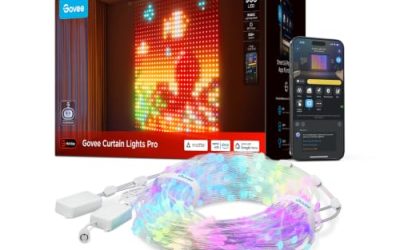
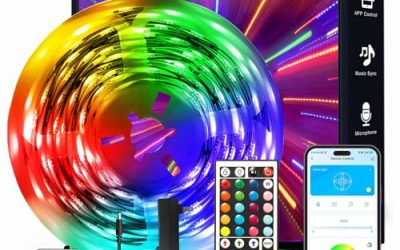
Govee Smart RGB LED Strip Lights 32.8ft
Whole-room perimeter runs on a first smart setup
Wi-Fi and Bluetooth, works with Alexa
Govee RGBIC LED Strip Lights with Covers 32.8ft
Visible desk and skirting lines that need a smooth finish
Diffuser channel with 60 LEDs per meter
Govee Flow Plus Smart Light Bars
Flanking a monitor or TV with upright bars
RGBICWW with 2200K to 6500K white range
Govee Gaming Light for Monitor G1
Screen-matched color behind a gaming monitor
Fits monitors from 27 to 34 inches
Philips Hue Play Gradient Lightstrip for PC
Hue owners who want gradient screen sync
Made for monitors from 24 to 27 inches
How to Choose
Decide how the lights will be controlled
Control is what separates a smart light from a novelty strip. Wi-Fi models join your home network, so an app, Alexa, or Google Assistant can run them from anywhere, while Bluetooth-only models stop responding once your phone leaves the room. Every pick in this guide carries Wi-Fi, but they differ in extras: the Hue strip talks through a bridge, while the Govee models connect straight to the router. Write down which voice assistant you already use before ordering, because a strip that ignores your ecosystem is just an expensive remote-controlled light.
Match the form factor to the surface
Strips, bars, and backlights solve different geometry problems. A flexible strip follows ceiling coves, desk edges, and the back of a TV, while rigid bars stand upright beside a monitor and throw color onto the wall behind it. Monitor backlights are pre-shaped for one screen size range, so a strip built for monitors from 27 to 34 inches will bunch or fall short on a smaller panel. Measure the run you actually plan to light, including corners, and compare it with the listed length instead of guessing from the room size.
Understand RGB, RGBIC, and gradient color
A standard RGB strip shows one color along its whole length at any moment. RGBIC adds independent control chips, so several colors can sit on the same run at once, which is what produces flowing rainbows and segmented scenes. The Govee strip with covers splits its run into 50 addressable segments, and the Hue Play Gradient blends colors smoothly rather than in blocks. If your goal is a calm single-color bias light for late sessions, plain RGB is enough; if you want animated effects that move, segmented control is the feature that matters.
Check sync options and network demands
Screen sync and music sync are the two reactive modes gamers ask for, and they work differently. The Govee G1 reads your monitor picture and matches its backlight to the on-screen colors, while music modes on the strips listen through a built-in microphone and pulse with the room audio. Nearly all of these products use the 2.4 GHz Wi-Fi band only, so a router set to 5 GHz only will block setup. The Hue strip also needs its bridge for sync features, which is a second box to place and power.
The 5 Best Options
Govee Smart RGB LED Strip Lights 32.8ft
Top Pick
Govee Smart RGB LED Strip Lights 32.8ft
Best for: a first whole-room smart lighting run controlled by voice
Model H6110
Total length 32.8 feet, supplied as 2 rolls of 16.4 feet
This is the straightforward starting point for a first smart gaming room: two long rolls, direct Wi-Fi, and voice control without any hub in between. It suits players who want the ceiling line, the back of a desk, and the wall behind a TV all handled by one kit, then run by app scenes or a quick voice command. Because the whole run shows a single color at a time, it favors bold room-wide washes over animated gradients, and the generous length means most single rooms need just this one box.
Govee RGBIC LED Strip Lights with Covers 32.8ft
Runner-Up
Govee RGBIC LED Strip Lights with Covers 32.8ft
Best for: visible runs along desks and skirting that need a spot-free finish
Model H61B6
Total length 32.8 feet, supplied as 2 strips of 16.4 feet
RGBIC with 50 customizable segments
60 LEDs per meter under a diffuser cover and track
Most strips look dotted when they sit in direct view, and this kit answers that problem with an aluminum-style channel and diffuser cover that turn the run into one smooth line of light. It fits gaming rooms where the strip runs along skirting boards, a desk front edge, or open shelving and stays visible during streams. Under the cover, the RGBIC strip carries dozens of segments, so gradients still flow even though the surface looks calm and finished rather than speckled.
Govee Flow Plus Smart Light Bars
Govee Flow Plus Smart Light Bars
Best for: focused bias light flanking a single monitor or TV
Model H6056
Two light bars with table mounting and screen mounting brackets
RGBICWW color with white range from 2200K to 6500K
A pair of upright bars solves the spot strips handle badly: the blank wall space on either side of a screen. These stand on the desk or mount behind the display and wash the wall with segmented color plus a proper white range for everyday use. They suit players who sit close to one monitor and want the glow concentrated there instead of spread around the room, and the control box on the desk means basic changes never require reaching for a phone.
Govee Gaming Light for Monitor G1
Govee Gaming Light for Monitor G1
Best for: immersive screen-matched glow behind a gaming monitor
Model H6609
Fits PC monitors from 27 to 34 inches, adapts to curved monitors
This backlight exists for one job: making the wall behind your monitor echo what is on the screen. It reads the picture and shifts its RGBIC colors to match, so explosions bloom orange and night scenes sink into blue without you touching an app. It is shaped for mid-to-large gaming monitors, including curved panels, and it can act as the hub of a wider Govee gaming setup by syncing with other lights in the same product family for a coordinated room effect.
Philips Hue Play Gradient Lightstrip for PC
Philips Hue Play Gradient Lightstrip for PC
Best for: existing Hue households adding gradient screen sync to a PC desk
Hue owners get the polished version of monitor backlighting: a pre-shaped gradient strip that bends around the back of the screen and blends several colors into one seamless halo. Paired with the Hue Sync desktop app, it mirrors gameplay smoothly, and it folds into an existing Hue room alongside bulbs and other strips under one system. The catch is the ecosystem entry ticket, since full function depends on the Hue Bridge rather than a direct router connection.
Which One Fits Your Situation
You are lighting a gaming room for the first time
Start with the Govee Smart RGB strip in the 32.8-foot size. One kit covers the ceiling edge or the full desk and TV wall in most rooms, joins Wi-Fi without a hub, and answers to Alexa or Google Assistant right away. It leaves budget and wall space free for bars or panels later, and its single-color scenes still deliver the dramatic room-wide wash most first setups are chasing.
Your desk is the whole battlestation
Build around the screen instead of the room. The Govee Gaming Light G1 matches its backlight to your gameplay on monitors from 27 to 34 inches, while the Flow Plus bars add upright color at the sides of a smaller desk. Hue users with a 24 to 27 inch monitor should take the Play Gradient strip instead, since it syncs through the same bridge and app as the rest of their lights.
You stream or record in the room
Visible light is part of your backdrop, so choose fixtures that look finished on camera. The Govee strip with covers hides individual LED dots inside a diffuser channel, giving a clean line along the desk or skirting. The Flow Plus bars add two sculptural points of color beside the screen. Both respond to music modes, which keeps the background alive during quiet segments without manual scene changes.
The room doubles as a living space
Pick lights that can behave when nobody is gaming. The Flow Plus bars offer a white range from warm to daylight for reading and calls, and the long Govee strip can settle to one soft color for movie nights. Voice control matters most here, because a room that answers a spoken command gets used daily, while one that needs an app open tends to stay dark.
Common Mistakes
Buying a Bluetooth-only strip and expecting voice control; without Wi-Fi, Alexa and Google Assistant cannot reach it.
Ordering a monitor backlight by guesswork instead of checking the listed screen size range against your own display.
Sticking strips to dusty or textured paint, then blaming the adhesive when the run sags within a week.
Forgetting that most smart strips use the 2.4 GHz band only, so a 5 GHz-only router setting blocks setup.
Mixing brands freely and expecting one app; Govee, Hue, and other ecosystems keep their scenes and sync inside their own apps.
Frequently Asked Questions
Do smart LED lights need Wi-Fi to work in a gaming room?
Basic colors and the included control box or remote work without a network on most models, but the smart features depend on Wi-Fi. App control away from home, voice commands through Alexa or Google Assistant, schedules, and grouped scenes all need the light joined to your router, almost always on the 2.4 GHz band.
Can these lights sync with what is on my screen?
Only some of them. The Govee Gaming Light G1 is built to match its backlight to your monitor picture, and the Philips Hue Play Gradient strip syncs through the Hue Sync desktop app with a bridge. The plain strips and the Flow Plus bars react to music and run preset scenes, but they do not read your screen.
Will one 32.8-foot strip cover a whole gaming room?
For a small to mid-size room, usually yes for one continuous feature run, such as the ceiling perimeter or a combined desk and TV wall. Measure the path first, including drops and corners, because corners and door frames eat length quickly. Larger rooms, or designs that outline both the ceiling and the desk, generally need a second kit.
Is RGBIC worth choosing over regular RGB?
RGBIC matters when you want movement: gradients, chasing effects, and different colors along one run. Regular RGB shows a single color at a time, which is perfectly fine for steady bias light or a calm room wash. If your plan is animated scenes for streams and game nights, choose RGBIC; if you mostly want one color that sets a mood, save the complexity.
H
Home Beautiful Design Editorial Team
We compare specs, materials and verified owner reviews before a product earns a spot. Rankings are never paid.
Affiliate disclosure. As an Amazon Associate we earn from qualifying purchases at no extra cost to you. Prices accurate as of the date shown.
Compare five smart power strips with energy monitoring from Kasa, Tapo, GHome, Eve and APC, with per-outlet or whole-strip tracking and surge protection.


 Govee Gaming Light for Monitor G1
 Philips Hue Play Gradient Lightstrip for PC